 Free Palm Reading
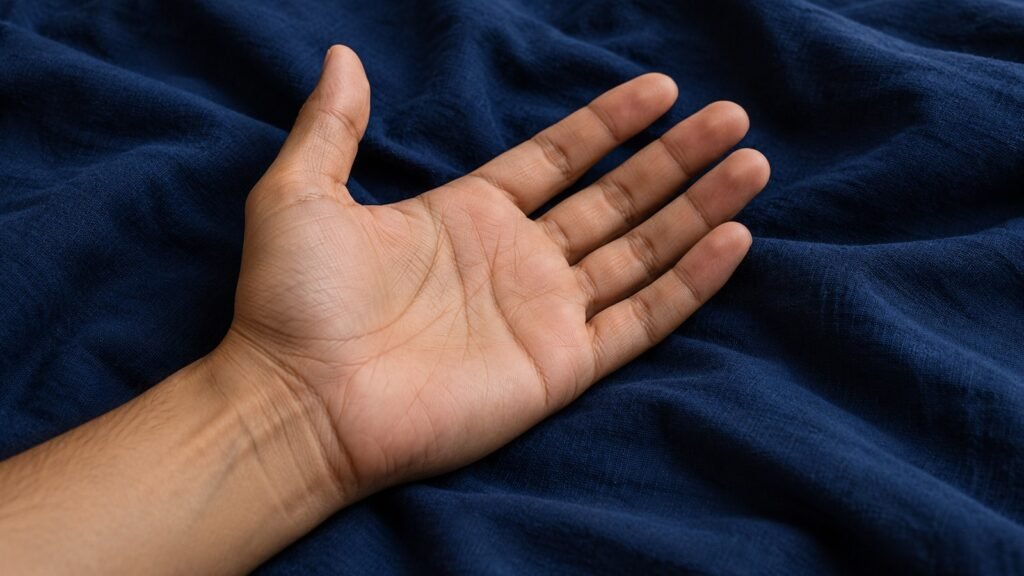
There is no single camera distance that works for every phone and hand. Use the view on your screen to choose a distance that keeps the whole palm in focus without cropping its landmarks. Moving closer is helpful only while the camera can still focus.
Set up the hand and background
Rest your arm comfortably and open the hand naturally. Include the finger bases, thumb pad and wrist edge. Use a plain background and remove private paperwork, addresses or other people from the frame. Do not force a stretch or a joint position to create a deeper-looking crease.
Choose distance by three checks
- Framing: The palm fills much of the image while its important edges remain visible.
- Focus: The creases are sharp at normal viewing size. Tap to focus if your camera offers that control.
- Perspective: The camera faces the palm rather than looking along it at a steep angle.
If the phone hunts for focus when close, move it back slightly and try again. Do not keep enlarging a blurry digital zoom. Take a second photo and compare the saved files before choosing an upload.
Use even light
A bright window with indirect light is a useful starting point. Turn the hand or camera slightly if glare hides the surface. Avoid a harsh flash, a bright reflection or a deep shadow crossing the palm. A contrast filter can exaggerate a crease or make a shadow look like a new line, so use an ordinary, unfiltered image.
Review the saved image
Open the actual photo after capture. Check whether the center and edges are both clear, the thumb pad is included and the lighting resembles what you can see in person. If a crease is unclear, record that uncertainty. Do not assume that an AI description makes an indistinct feature real.
Before uploading
The reader accepts JPG, PNG, GIF or WebP files up to 10 MB. Upload your own hand or one you have permission to use; the service is intended for adults. Review any metadata you do not want to share and do not include identification documents or medical information.
The photo is sent to Anthropic for the requested reading. Saved collections can retain an encrypted copy, and reading text can be included in administrator QA notifications. Future emailed photo attachments are currently disabled. Read the privacy details before submitting.
What a clear photo does and does not change
A clear image makes ordinary visible details easier to describe. It does not establish that palm creases predict health, lifespan, income or relationships. If the output describes something you cannot see, treat it as a possible model error.
Use the palm-line orientation guide for observation and the AI workflow guide for what happens after upload. Return to the reader when you are comfortable with the image and the processing notice.